



You can change your email account password from the Accounts section of the MarpaMail client portal.
Before continuing, make sure you can sign in to the portal. See How to Access Your MarpaMail Account if you need help signing in.
Change Your Password
Sign in to the MarpaMail client portal
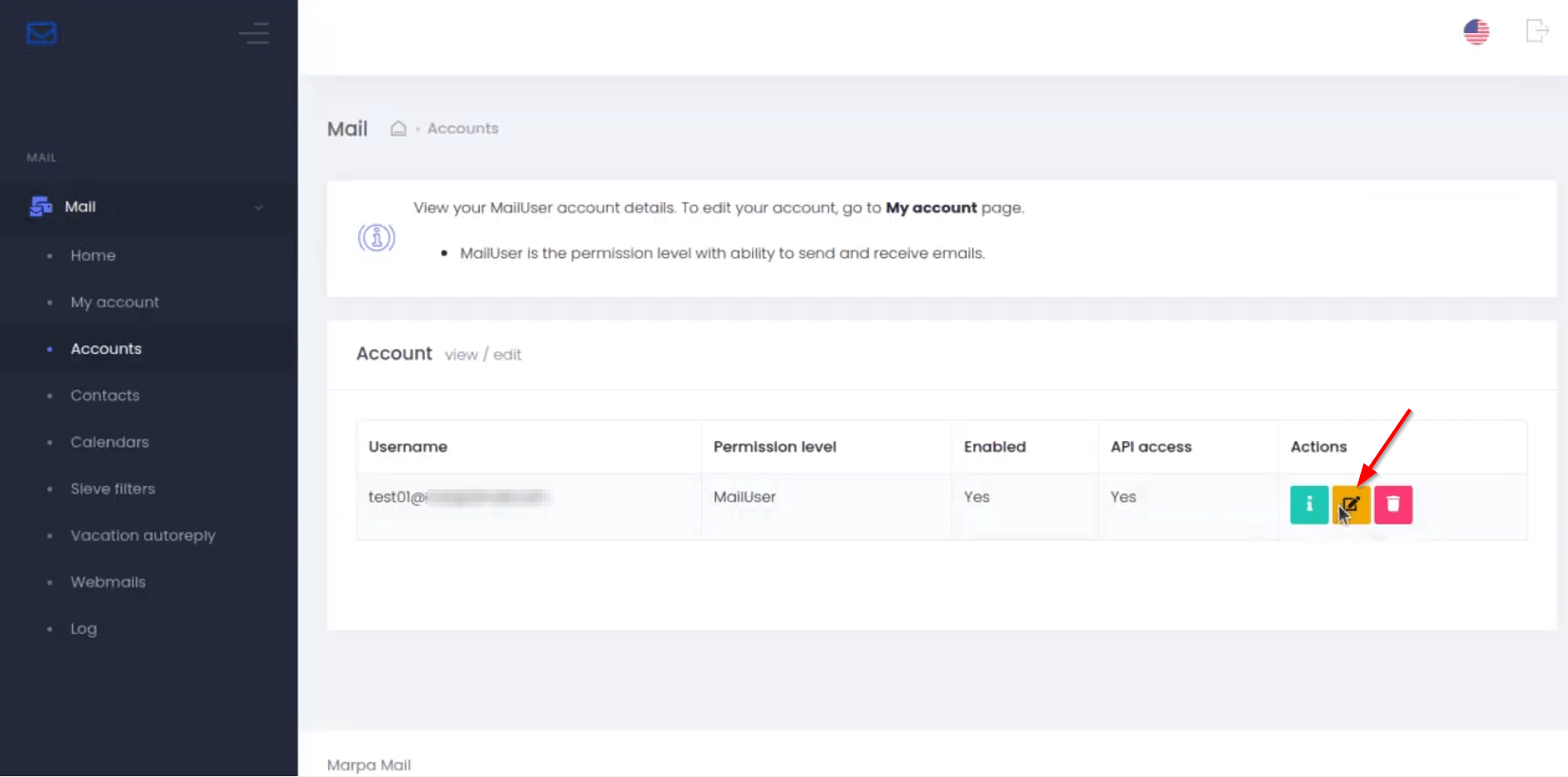
Open Mail → Accounts
Find the email account you want to update
Click the Edit button for that account.
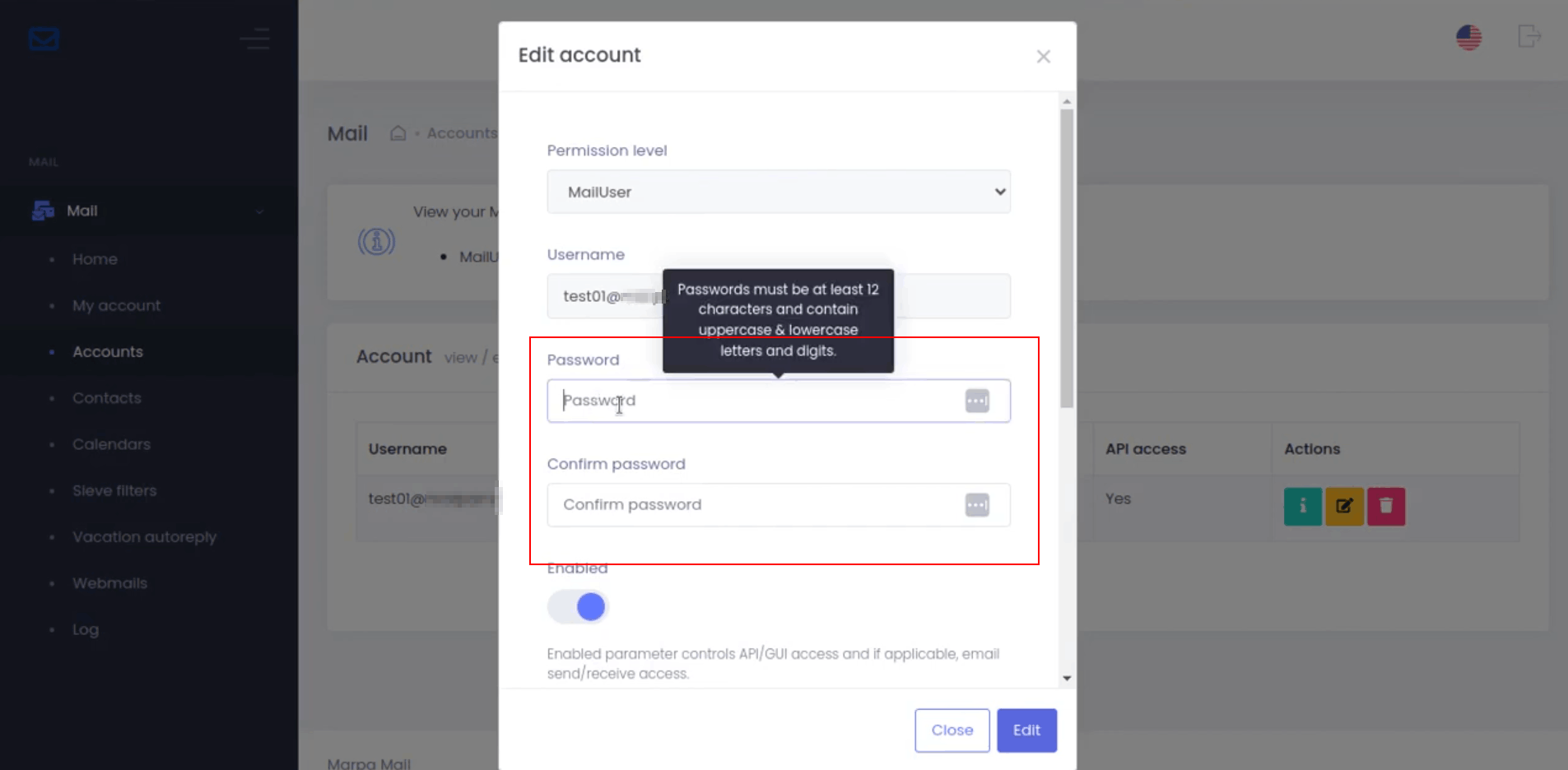
In the Edit Account window, scroll to the Password section
Enter your new password in Password
Enter the same password in Confirm Password
Note:
For better security, use a unique password generated by a trusted password manager or password generator.
Make sure the recovery email address is accessible to you. It may be used to help recover or reset your MarpaMail account password
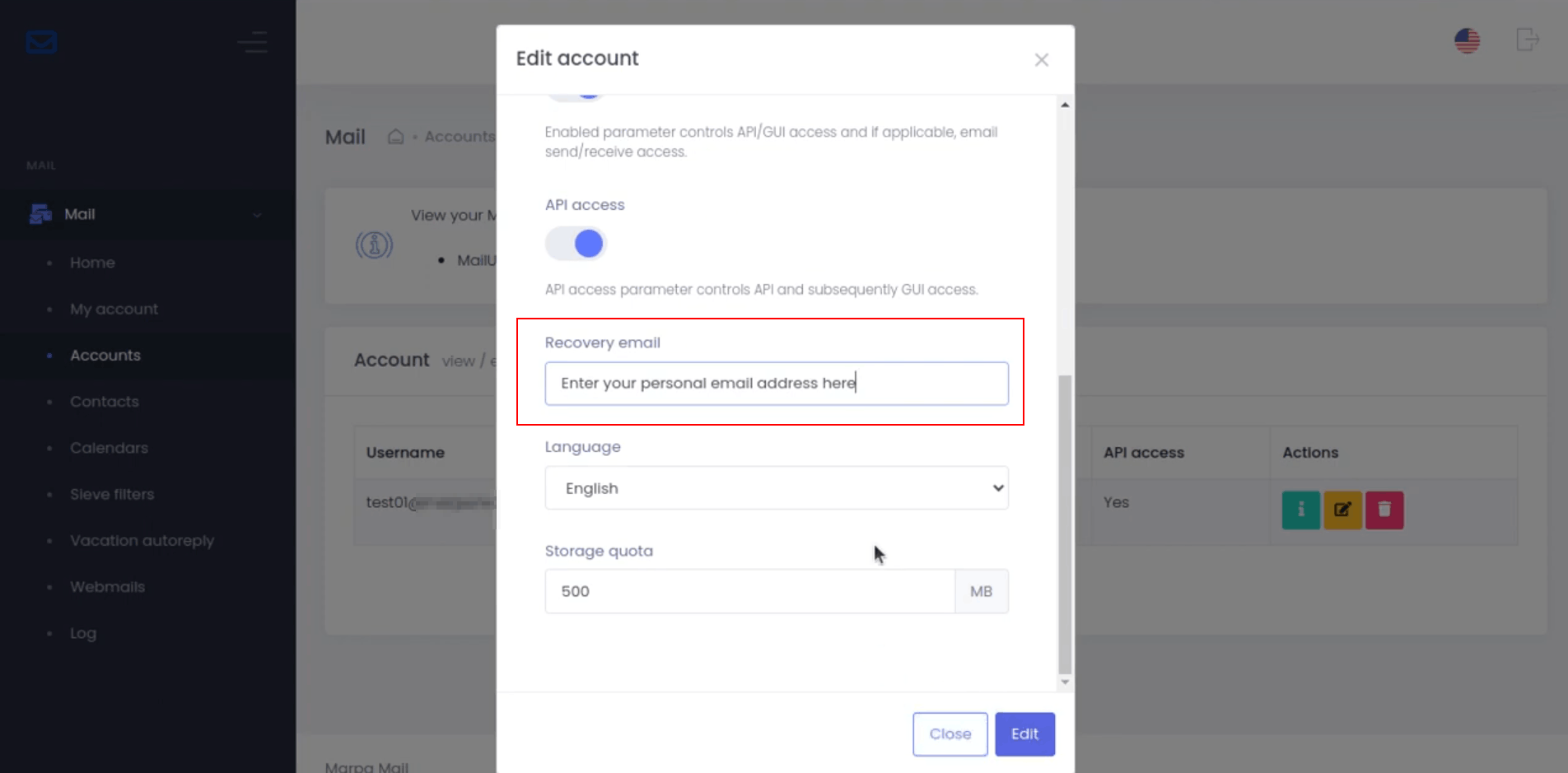
Scroll to the bottom of the form and click Edit to save the new password.
Important: Keep your new password secure and do not share it with anyone.