



MarpaMail supports standard email protocols so you can connect your mailbox to desktop email applications, mobile devices, and other supported mail clients. You can use IMAP, POP3, and SMTP to receive and send email while keeping your connection protected with encryption.
For the best security, IMAP and POP3 connections should use SSL/TLS, while SMTP should use STARTTLS.
Configuration Guide
Use the following settings when configuring your MarpaMail account in an email client.
| Setting | IMAP | POP3 | SMTP |
| Purpose | Receive and sync email | Download email | Send email |
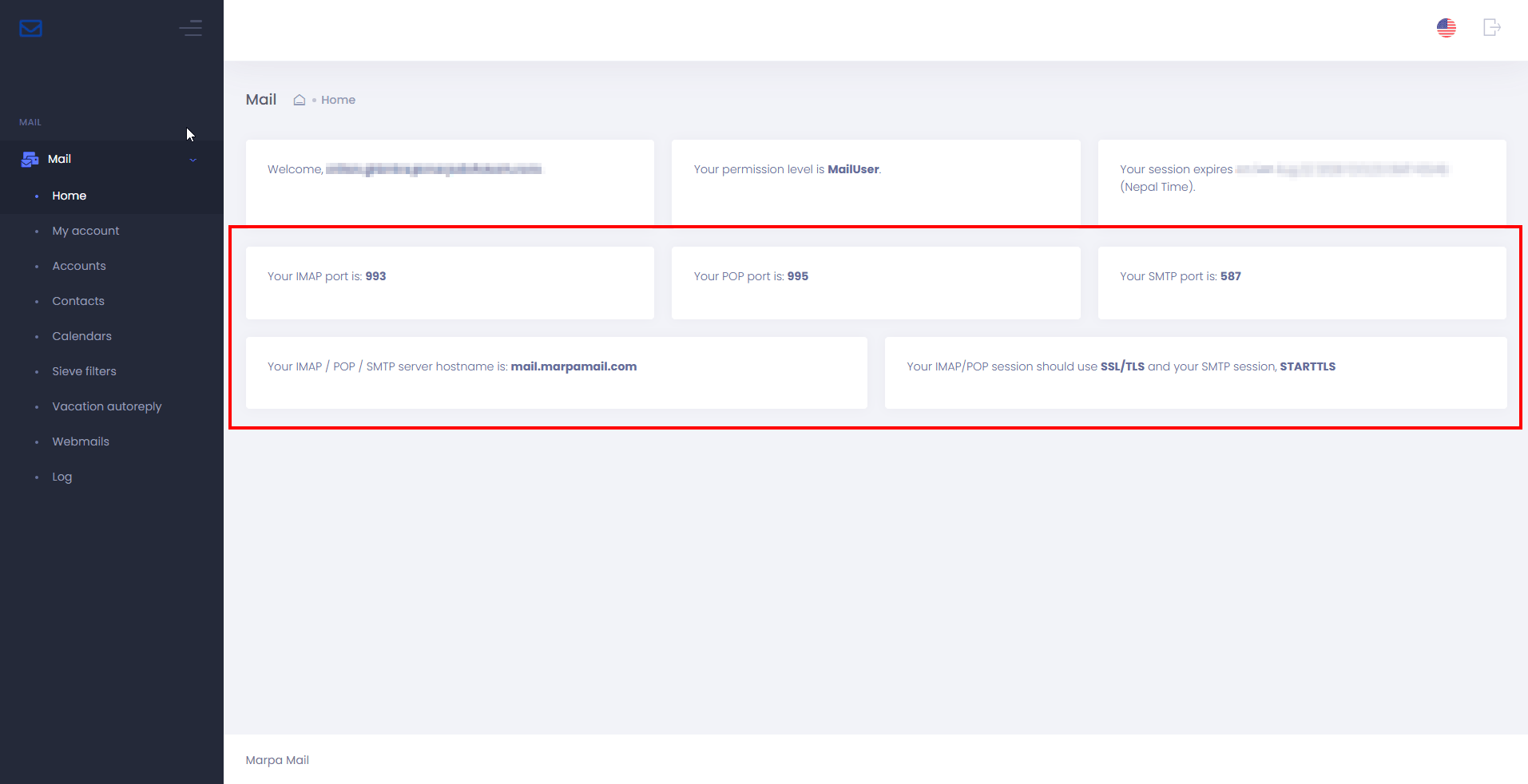
| Security | SSL/TLS | SSL/TLS | STARTTLS |
| Port | 993 | 995 | 587 |
| Username | Your full email address | Your full email address | Your full email address |
| Password | Your email password | Your email password | Your email password |
Use your full MarpaMail email address as the username when your email client asks for your account credentials.
You can also find the configuration in MarpaMail account dashboard
Incoming Mail Server Settings
For incoming email, you can choose either IMAP or POP3, depending on how you want your mailbox to work.
IMAP keeps your messages synchronized between MarpaMail and your email client. This is generally the better choice when you access the same mailbox from multiple devices, such as a computer and smartphone.
Use IMAP with SSL/TLS on port 993.
POP3 downloads messages from the mail server to your email client. It can be useful when you primarily use one device to access your mailbox.
Use POP3 with SSL/TLS on port 995.
Outgoing Mail Server Settings
SMTP is used to send messages from your MarpaMail account.
Configure your email client to use SMTP with STARTTLS on port 587. Enter your full MarpaMail email address and email password when authentication is required.
Using STARTTLS ensures that the SMTP connection is upgraded to an encrypted connection before email data is transmitted.
IMAP or POP3: Which Should You Use?
Choose IMAP if you want your mailbox to remain synchronized across multiple devices. Changes such as reading, deleting, or moving messages can stay synchronized with the mail server.
Choose POP3 if you mainly want to download email to a single email client. POP3 behaves differently from IMAP, particularly when managing messages across multiple devices.
For most users who access email from both computers and smartphones, IMAP is the recommended option.